
Multiple Face Swap
for a Group Photo
Upload one group photo and swap more than one face in that picture. This page is the multiple face swap tool; a single face belongs on the photo face swap, and a clip belongs on face swap video.
Try Multiple Face Swap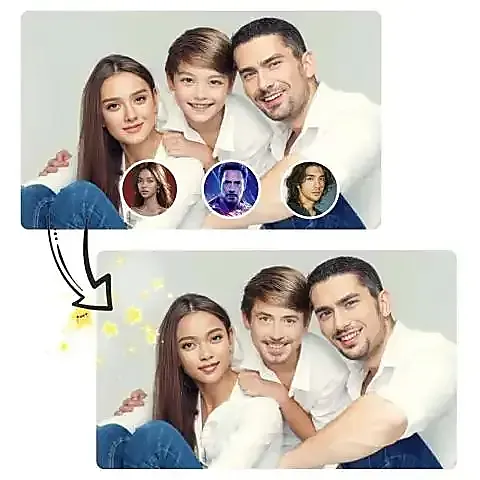
Online Multiple Face Swap AI Playground
Swap multi faces in a photo at once. If you want a single face swap, try our single AI face swap.



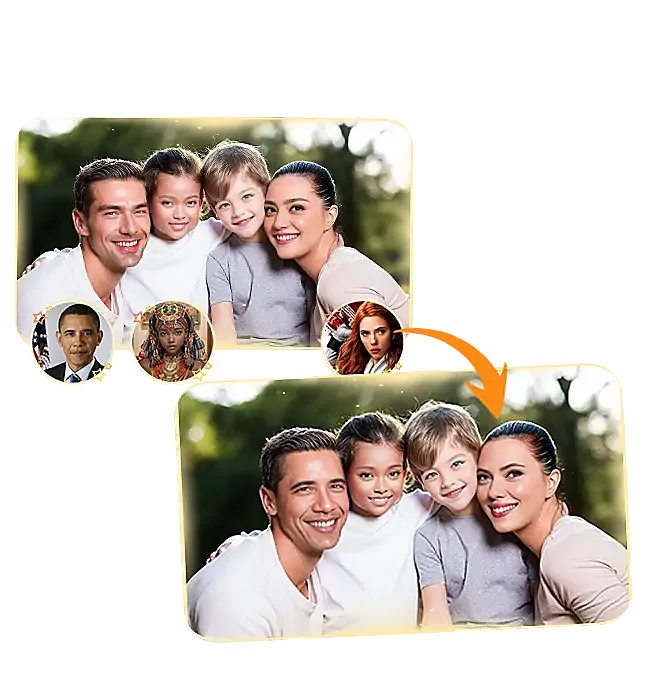

How to Swap Multiple Faces at Once
Get realistic, seamless multi-person face swaps in just 3 easy steps

Upload a photo with multiple faces
Upload your group photo in the 'Upload Group Photo' section, or select our demo group photo.
Map each recognized face to a new face
Click on the target slots under each detected face and upload the replacement face image.
Click 'Start Multiple Face Swapping'
Wait for the AI to render. Download your fun and realistic group faceswap photo instantly!
FAQs of AI Multiple Face Swapper
Have questions about AI Multiple Face Swapper? We've got answers for you.
Multiple face swap AI works through a series of steps to accurately swap faces in photos:
Detection: The AI first identifies and locates human faces within the image using facial detection algorithms.
Alignment: Once faces are detected, the AI aligns them by adjusting for angles, sizes, and positions.
Swapping: Finally, the AI swaps the faces, blending skin tones and lighting seamlessly to make the result look realistic.
Our multi-face swap AI uses cutting-edge artificial intelligence technology to complete multiple face swaps within a few seconds. If there are many users online, you might need to wait in queue for a short moment.
Of course! Our multiple face swap AI protects your privacy: 1) We do not store your files on the cloud permanently; 2) No signup is required to try the tool; 3) All uploads are deleted automatically after 48 hours.
Our multiple face swap AI will automatically detect up to 5 faces in the image, allowing you to swap up to 5 faces simultaneously in one go.